Practical AI for Data Science


Simon Couch - @simonpcouch

AI Core Team @ Posit

Median LinkedIn post (2026)

AI will change EVERYTHING about data science. Hear me out…👇

Click to expand

A humanoid robot typing on a laptop in a control room.

Median LinkedIn post (2026)

In AI discourse:

  • The Data being Scienced can happily be sent straight to OpenAI’s servers
  • Data science can be “one-shotted”
  • “Close enough” is fine
  • Tokens are cheap

AI will change EVERYTHING about data science. Hear me out…👇

Click to expand

A humanoid robot typing on a laptop in a control room.

LinkedIn vs. reality

In AI discourse:

  • The Data being Scienced can happily be sent straight to OpenAI’s servers
  • Data science can be “one-shotted”
  • “Close enough” is fine
  • Tokens are cheap

In reality:

  • Data science happens on mostly sensitive / confidential data
  • Data science is messy, subtle, and context-rich
  • It’s (still) bad to be wrong
  • Agents require infrastructure


I want to:

  • Show you what’s possible via LLM APIs
  • Help you imagine making it work in practice

What’s possible via APIs

Talk to LLMs via APIs

Web vs. API:

  • Web: chatgpt.com, claude.ai, other “chat interfaces”
  • API: Using Python, R, etc. with an API key

Talk to LLMs via APIs

The ellmer hex sticker, a colorful elephant in a patchwork of fabrics.

The chatlas hex sticker.


1. Structured data

2. Tool calling

3. Coding agents

Talk to LLMs via APIs

library(ellmer)

chat <- chat_anthropic()

chat$chat("Who are you?")
#> Using model = "claude-sonnet-4-6".
#> 
#> I'm Claude, an AI assistant created by Anthropic. I'm here to help
#> with a wide variety of tasks like answering questions, helping with
#> analysis and research, creative writing, math and coding problems,
#> and having conversations. Is there something specific I can help
#> you with today?

The ellmer hex sticker, a colorful elephant in a patchwork of fabrics.

Structured data

Structured data

# How would you extract name and age from this data?

prompts <- list(
  "I go by Alex. 42 years on this planet and counting.",
  "Pleased to meet you! I'm Jamal, age 27.",
  "They call me Li Wei. Nineteen years young.",
  "Fatima here. Just celebrated my 35th birthday last week.",
  "The name's Robert - 51 years old and proud of it.",
  "Kwame here - just hit the big 5-0 this year."
)

Structured data

chat <- chat_anthropic()
chat$chat("Extract the name and age from each sentence I give you")
chat$chat(prompts[[1]])
#> **Name:** Alex
#> **Age:** 42
chat$chat(prompts[[2]])
#> **Name:** Jamal
#> **Age:** 27
chat$chat(prompts[[3]])
#> **Name:** Li Wei
#> **Age:** 19

Structured data

chat$chat(prompts[[3]])
#> list(
#>   name = "Li Wei",
#>   age = 19
#> )

Structured data

type_person <- type_object(
  name = type_string(),
  age = type_number()
)

chat$chat_structured(prompts[[1]], type = type_person)
#> List of 2
#>  $ name: chr "Alex"
#>  $ age : int 42

Structured data

Tool calling

Tool calling

chat <- chat_anthropic()
chat$chat("What day is it today?")
#> I don't have access to real-time information, so I can't
#> tell you what day it is today. You can check your device's
#> calendar or clock for the current date.

Tool calling

today <- tool(
  function() Sys.Date(),
  name = "today",
  description = "Get today's date",
  arguments = list()
)
chat$register_tool(today)

Tool calling

chat$chat("What day is it today?")
#> ◯ [tool call] today()
#> ● #> "2026-05-14"
#> Today is May 14th, 2026. That's a Thursday.

Tool calling

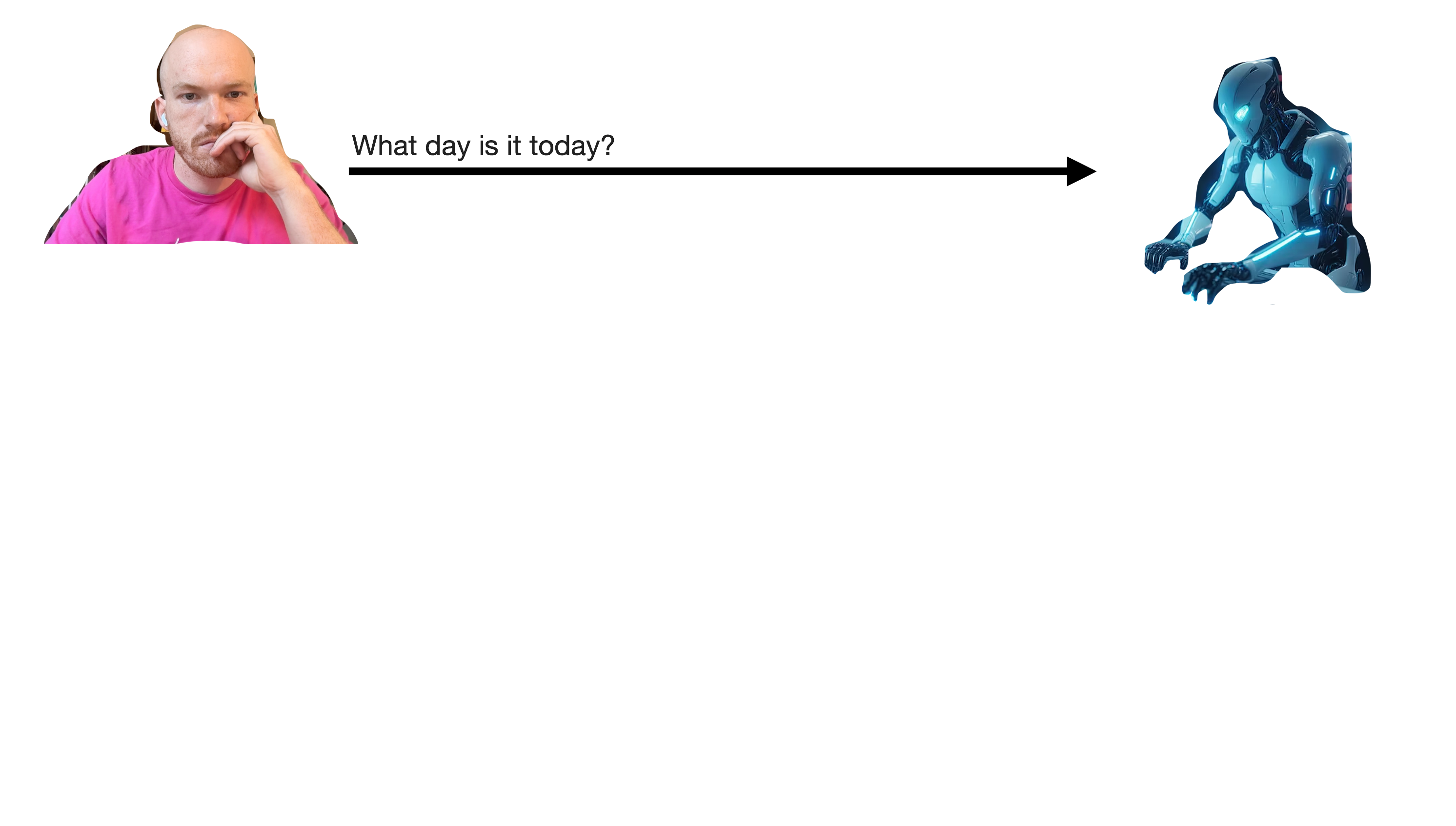
A diagram of the tool calling. At first, the user sends a message to the LLM reading 'What day is it today?'

Tool calling

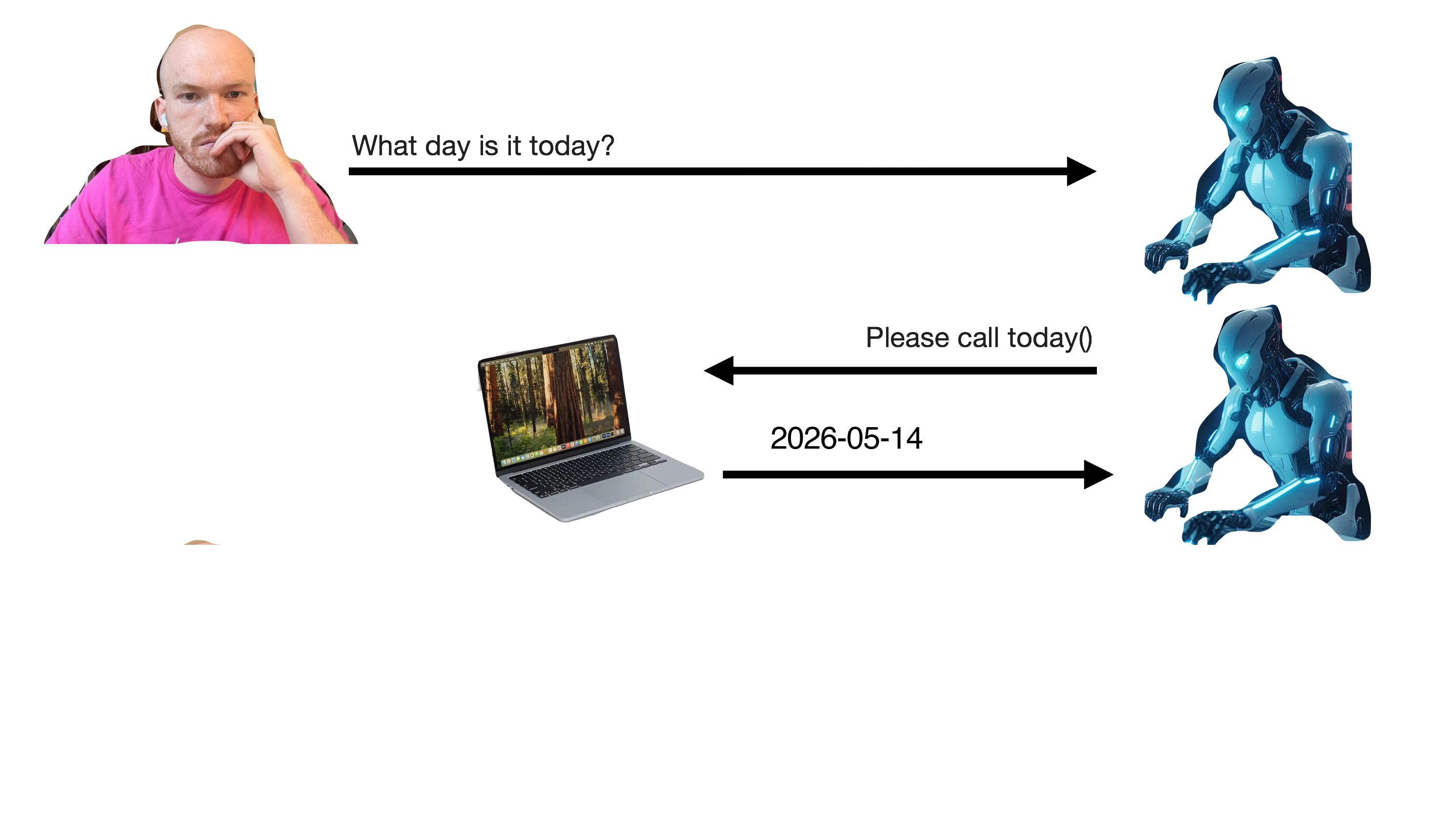
A continuation of the previous diagram. Now, the LLM sends a message back to the user that the computer handles automatically, calling the 'today' tool.

Tool calling

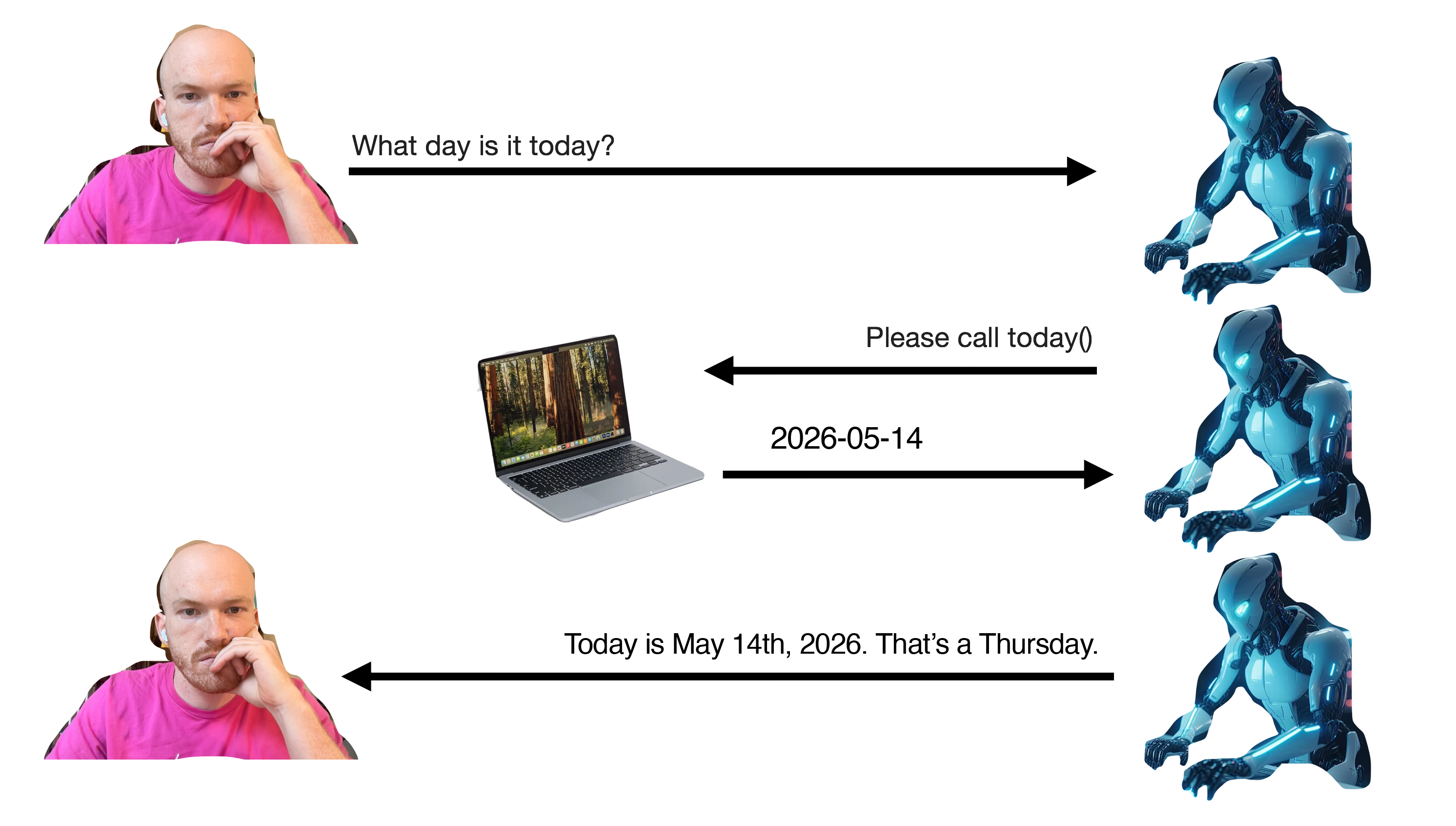
A continuation of the previous diagram. Now, once the model has received the current date, it will respond to the user directly, saying 'Today is __'.

Tool calling

Coding (agents)

Agent = LLM calling tools in a loop

Coding agents: querychat

Tool: write_sql_query
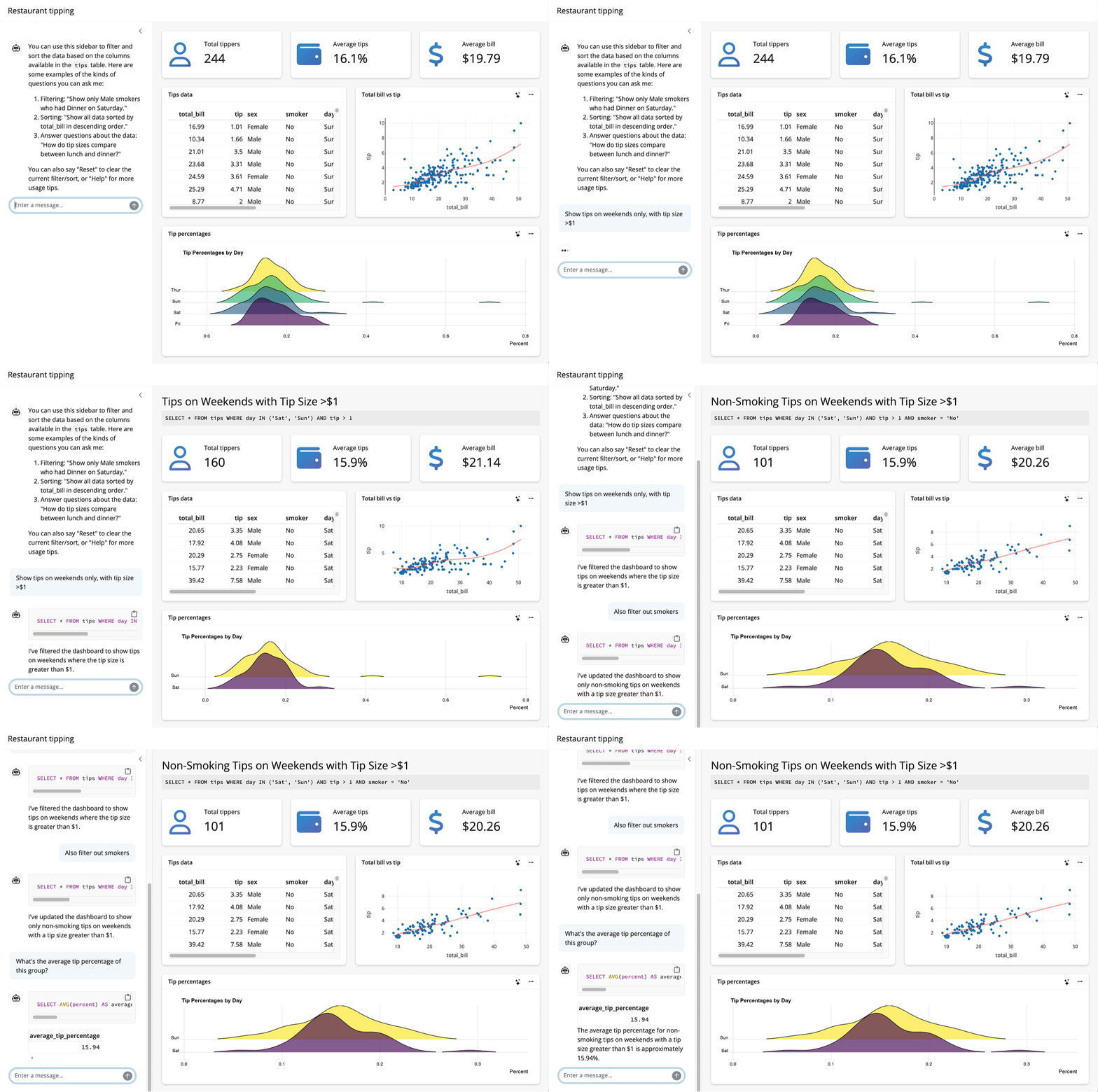
A package demo, where a user types a question and a model filters the data underlying a shiny app to show only the data relevant to the question.

Coding agents: side::kick()

Tools: bash(), console() (like Copilot or Claude Code)

What’s possible via APIs

Making it work in practice

Raise your hand if…

  • Your workplace has some approved, secure deployment of an LLM
  • That LLM is frontier(ish): Claude Sonnet 4.5, GPT 5.2
  • You’re able to access that deployment via a chatbot
  • Someone on your team may have figured out how to connect to it via an API

OpenAI API compatible endpoints

In R, e.g. side::kick():

formals(chat_openai_compatible)
#> [snip]
#> 
#> $base_url
#> Sys.getenv("OPENAI_BASE_URL", "https://api.openai.com/v1")
#> 
#> $api_key
#> openai_key()
#> 
#> [snip]
#> 
#> $api_headers
#> character()

Practical AI for data science

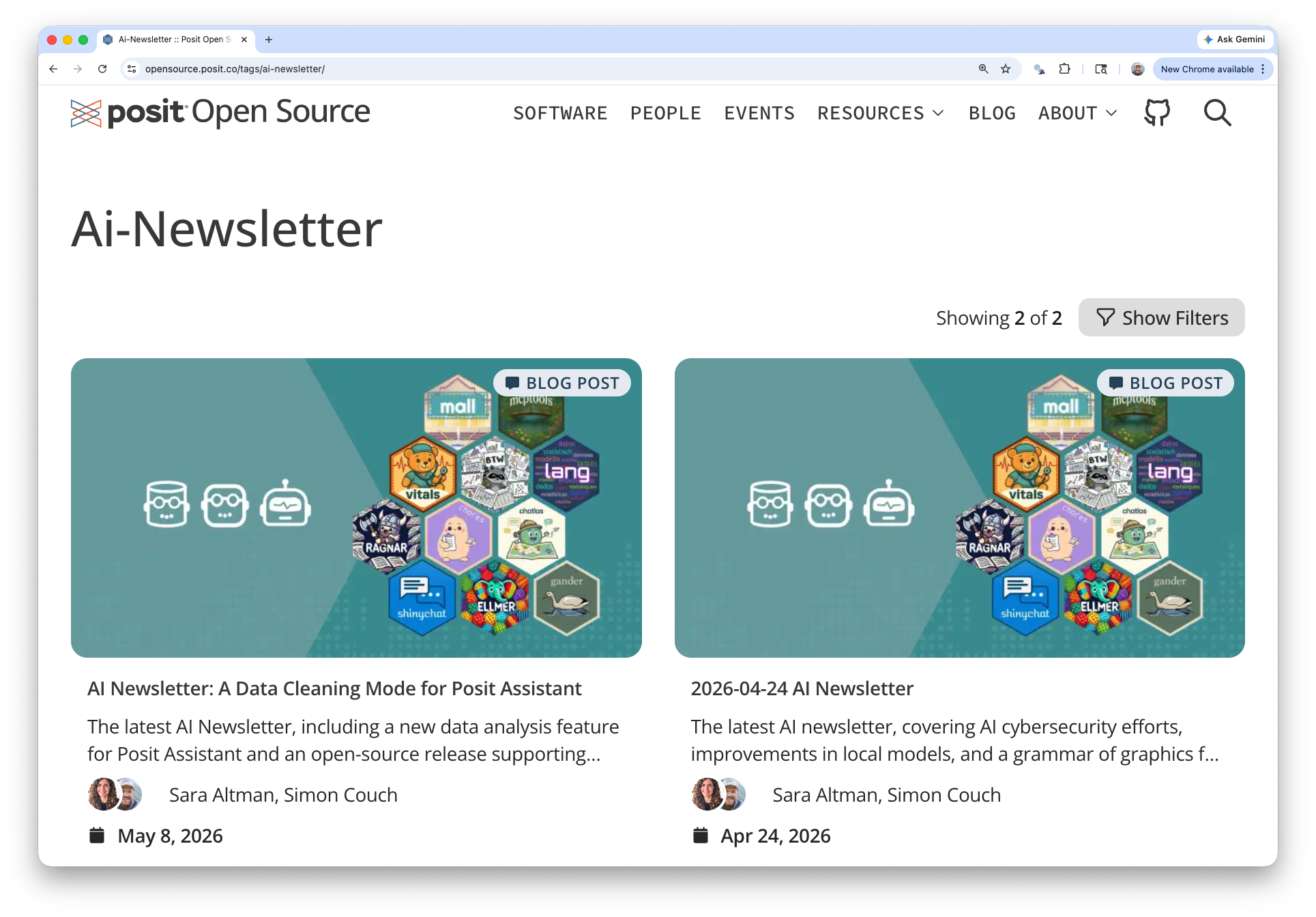
A screenshot of the Posit Open Source Blog with a recent entry of the AI Newsletter. Both are titled with their date and authored by Sara Altman and myself.

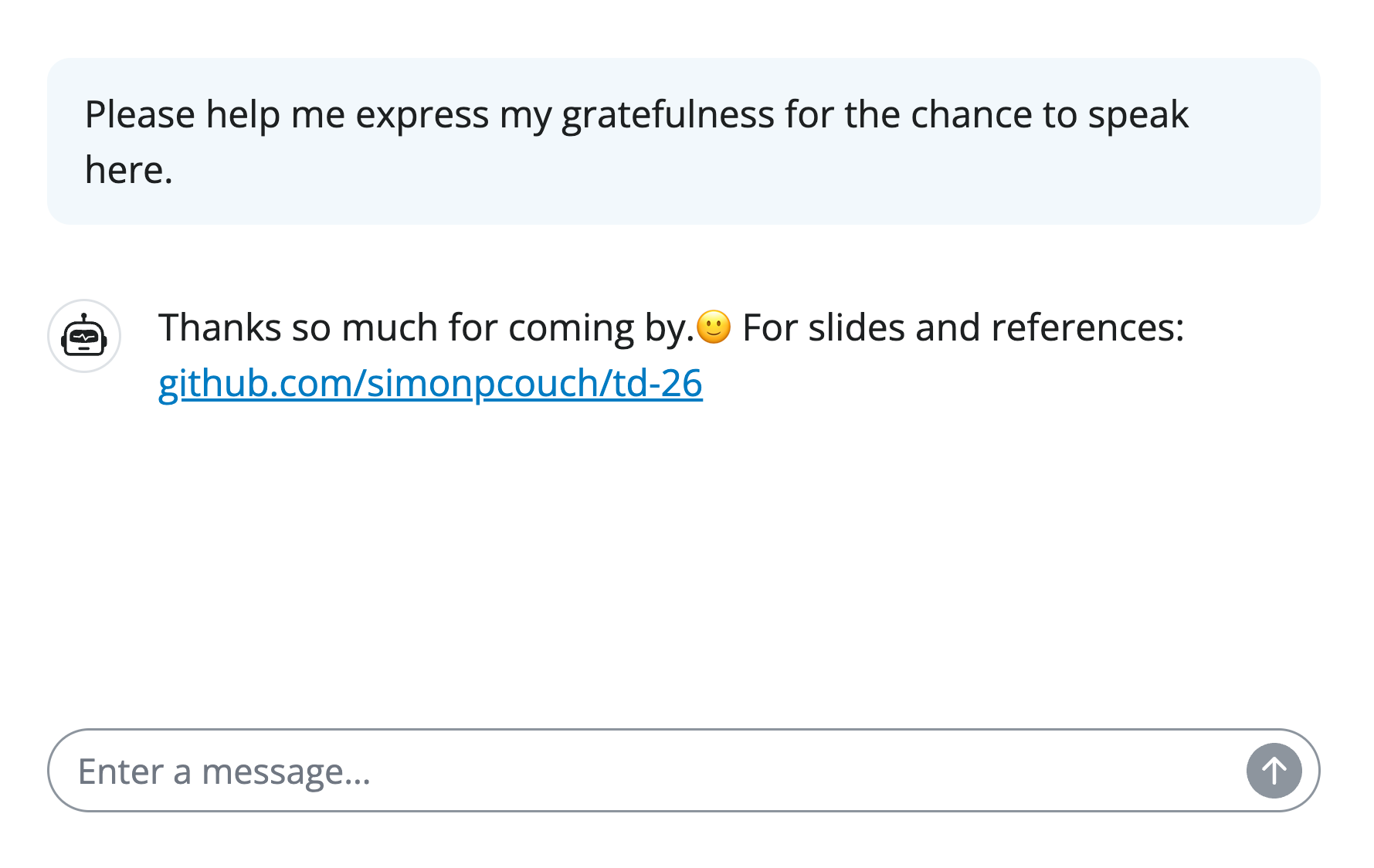
A screenshot of a mock conversation with a chatbot. The user says 'Please help me express my gratefulness for the chance to speak here.' The chat bot then replies 'Thanks so much for coming by.🙂 For slides and references: github.com/simonpcouch/td-26'.