Practical AI for data science


Simon Couch - @simonpcouch

AI Core Team @ Posit

Median LinkedIn post (2025)

AI will change EVERYTHING about data science. Hear me out…👇

Click to expand

A humanoid robot typing on a laptop in a control room.

Median LinkedIn post (2025)

In AI discourse:

  • Robots (LLM API keys) are free / happily paid for by someone else
  • The Data being Scienced can happily be sent straight to OpenAI’s servers
  • Data science can be “one-shotted”

AI will change EVERYTHING about data science. Hear me out…👇

Click to expand

A humanoid robot typing on a laptop in a control room.

LinkedIn vs. reality

In AI discourse:

  • Robots (LLM API keys) are free / happily paid for by someone else
  • The Data being Scienced can happily be sent straight to OpenAI’s servers
  • Data science can be “one-shotted”

In reality:

  • Frontier LLMs cost money
  • Data science happens on mostly sensitive / confidential data
  • Data science is messy, subtle, and context-rich


I want to:

  • Show you what’s possible in R with ellmer
  • Help you imagine making it work in practice

What’s possible in R

Meet ellmer

Talk to LLMs in R

The ellmer hex sticker, a colorful elephant in a patchwork of fabrics.

1. Structured data

2. Tool calling

3. Coding

Meet ellmer

library(ellmer)

chat <- chat_anthropic()

chat$chat("Who are you?")
#> Using model = "claude-sonnet-4-20250514".
#> 
#> I'm Claude, an AI assistant created by Anthropic. I'm here to help
#> with a wide variety of tasks like answering questions, helping with
#> analysis and research, creative writing, math and coding problems,
#> and having conversations. Is there something specific I can help
#> you with today?

The ellmer hex sticker, a colorful elephant in a patchwork of fabrics.

Structured data

Structured data

# How would you extract name and age from this data?

prompts <- list(
  "I go by Alex. 42 years on this planet and counting.",
  "Pleased to meet you! I'm Jamal, age 27.",
  "They call me Li Wei. Nineteen years young.",
  "Fatima here. Just celebrated my 35th birthday last week.",
  "The name's Robert - 51 years old and proud of it.",
  "Kwame here - just hit the big 5-0 this year."
)

Structured data

chat <- chat_anthropic()
chat$chat("Extract the name and age from each sentence I give you")
chat$chat(prompts[[1]])
#> **Name:** Alex
#> **Age:** 42
chat$chat(prompts[[2]])
#> **Name:** Jamal
#> **Age:** 27
chat$chat(prompts[[3]])
#> **Name:** Li Wei
#> **Age:** 19

Structured data

chat$chat(prompts[[3]])
#> list(
#>   name = "Li Wei",
#>   age = 19
#> )

Structured data

type_person <- type_object(
  name = type_string(),
  age = type_number()
)

chat$chat_structured(prompts[[1]], type = type_person)
#> List of 2
#>  $ name: chr "Alex"
#>  $ age : int 42

Structured data

parallel_chat_structured(chat, prompts, type = type_person)
#>     name age
#> 1   Alex  42
#> 2  Jamal  27
#> 3 Li Wei  19
#> 4 Fatima  35
#> 5 Robert  51
#> 6  Kwame  50

Structured data

paths <- dir("animals", full.names = TRUE)
images <- lapply(paths, \(x) list(content_image_file(x)))

type_animal_photo <- type_object(
  animal = type_string(),
  background_colour = type_string()
)

parallel_chat_structured(chat, images, type = type_animal_photo)

Structured data

Tool calling

Tool calling

chat <- chat_anthropic()
chat$chat("What day is it today?")
#> I don't have access to real-time information, so I can't
#> tell you what day it is today. You can check your device's
#> calendar or clock for the current date.

Tool calling

today <- tool(
  function() Sys.Date(),
  name = "today",
  description = "Get today's date",
  arguments = list()
)
chat$register_tool(today)

Tool calling

chat$chat("What day is it today?")
#> ◯ [tool call] today()
#> ● #> "2025-08-08"
#> Today is August 8, 2025. That's a Friday.

Tool calling

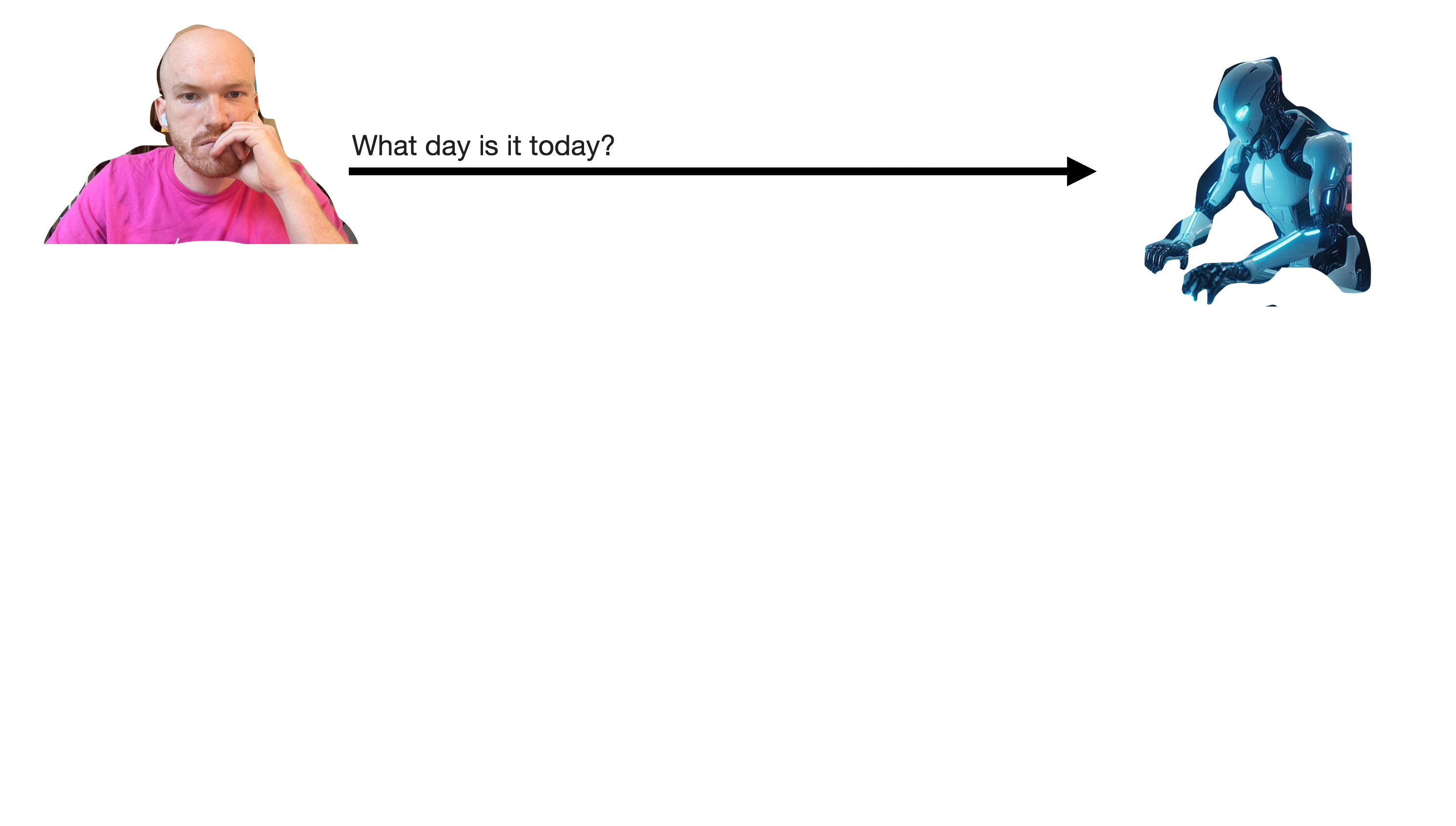
A diagram of the tool calling. At first, the user sends a message to the LLM reading 'What day is it today?'

Tool calling

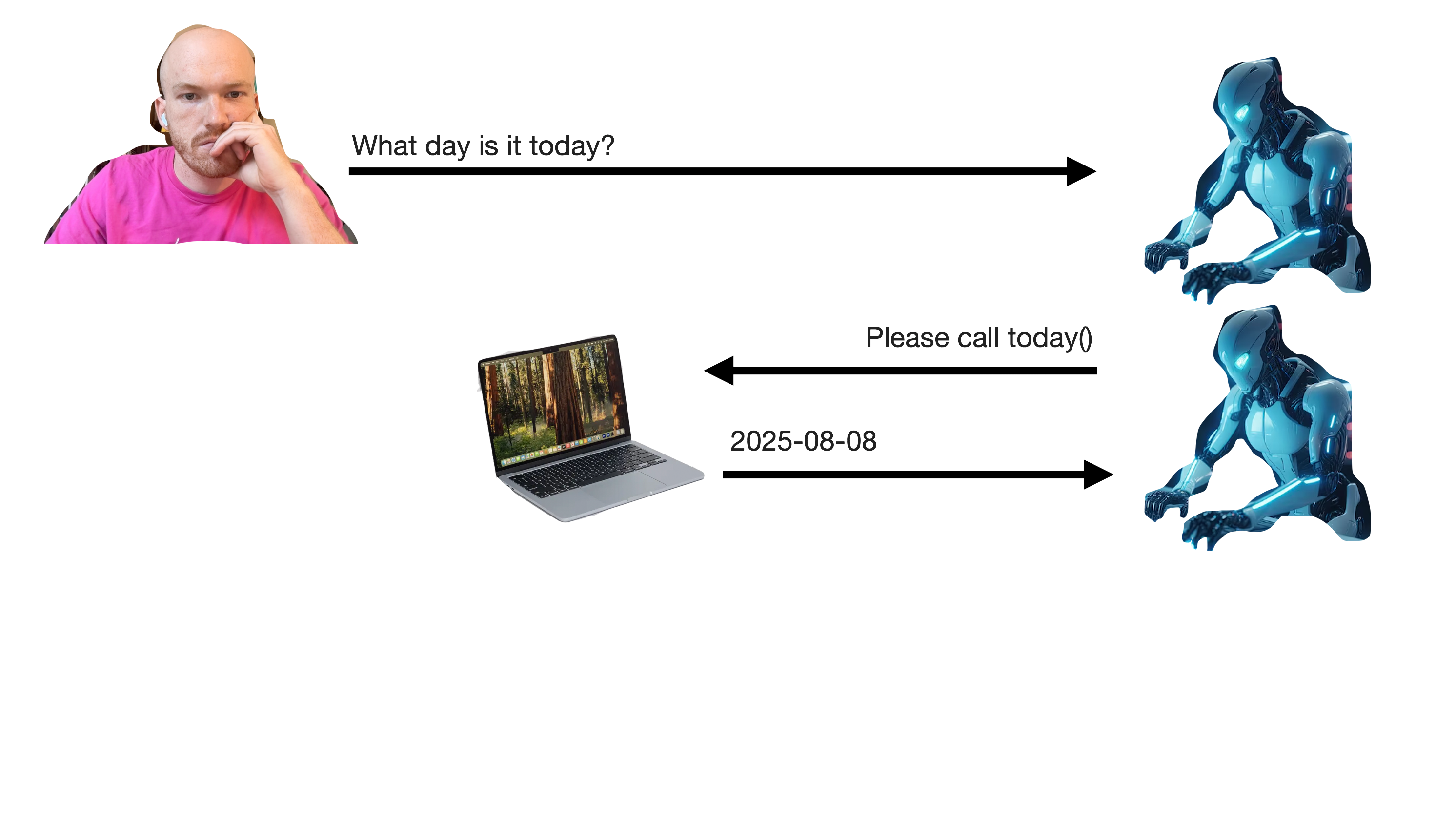
A continuation of the previous diagram. Now, the LLM sends a message back to the user that the computer handles automatically, calling the 'today' tool.

Tool calling

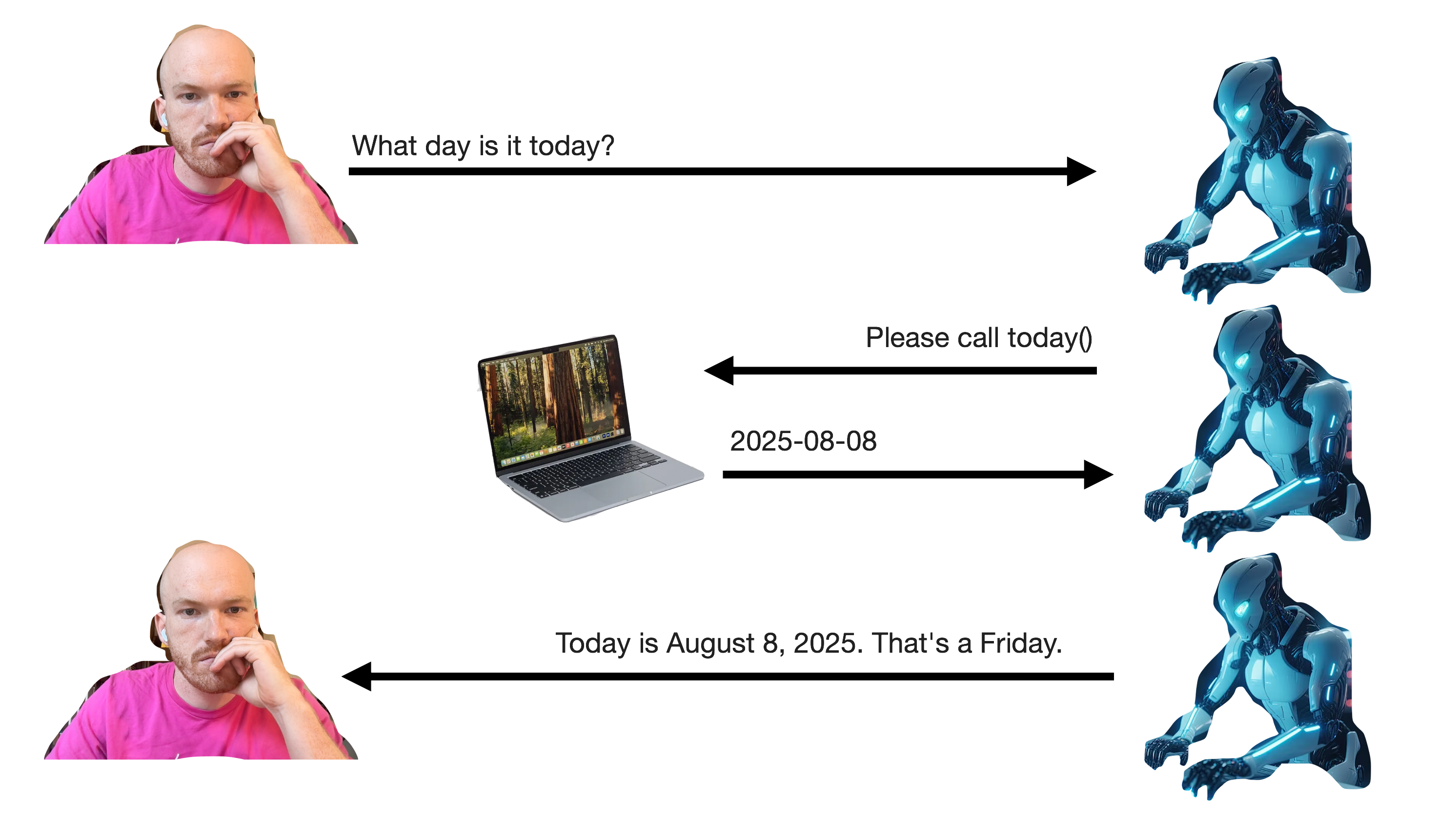
A continuation of the previous diagram. Now, once the model has received the current date, it will respond to the user directly, saying 'Today is __'.

Tool calling

Coding (agents)

Coding agent = LLM calling tools in a loop

…usually giving models the ability to read and write state

Coding agents

chat <- chat_anthropic()
chat$chat("Delete the csv files in my working directory")
#> ```bash
#> rm *.csv
#> ```
#>
#> This will delete all files with the `.csv` extension in your
#> current working directory.

Coding agents

chat <- chat_anthropic()
chat$chat("Delete the csv files in my working directory")

Needs to be able to:

  • Find files (read state)
  • Delete files (write state)

Coding agents

chat$register_tool(tool(
  function() dir(),
  name = "ls",
  description = "Lists the files in the current directory"
))


chat$register_tool(tool(
  function(path) unlink(path),
  name = "rm",
  description = "Delete one or more files",
  arguments = list(
    path = type_array(type_string())
  )
))

Coding agents

chat$chat("Delete all the csv files in the current directory")
#> I'll first check what files are in the current directory,
#> then delete any CSV files.

Coding agents

chat$chat("Delete all the csv files in the current directory")
#> I'll first check what files are in the current directory,
#> then delete any CSV files.
#> ◯ [tool call] ls()

Coding agents

chat$chat("Delete all the csv files in the current directory")
#> I'll first check what files are in the current directory,
#> then delete any CSV files.
#> ◯ [tool call] ls()
#> ● #> 1-coding-boilerplate.R
#>   #> a.csv
#>   #> b.csv
#>   #> …

Coding agents

chat$chat("Delete all the csv files in the current directory")
#> I'll first check what files are in the current directory,
#> then delete any CSV files.
#> ◯ [tool call] ls()
#> ● #> 1-coding-boilerplate.R
#>   #> a.csv
#>   #> b.csv
#>   #> …
#> Now I'll delete the CSV files I found (a.csv and b.csv):

Coding agents

chat$chat("Delete all the csv files in the current directory")
#> I'll first check what files are in the current directory,
#> then delete any CSV files.
#> ◯ [tool call] ls()
#> ● #> 1-coding-boilerplate.R
#>   #> a.csv
#>   #> b.csv
#>   #> …
#> Now I'll delete the CSV files I found (a.csv and b.csv):
#> ◯ [tool call] rm(path = c("a.csv", "b.csv"))

Coding agents

chat$chat("Delete all the csv files in the current directory")
#> I'll first check what files are in the current directory,
#> then delete any CSV files.
#> ◯ [tool call] ls()
#> ● #> 1-coding-boilerplate.R
#>   #> a.csv
#>   #> b.csv
#>   #> …
#> Now I'll delete the CSV files I found (a.csv and b.csv):
#> ◯ [tool call] rm(path = c("a.csv", "b.csv"))
#> ● #> true

Coding agents

chat$chat("Delete all the csv files in the current directory")
#> I'll first check what files are in the current directory,
#> then delete any CSV files.
#> ◯ [tool call] ls()
#> ● #> 1-coding-boilerplate.R
#>   #> a.csv
#>   #> b.csv
#>   #> …
#> Now I'll delete the CSV files I found (a.csv and b.csv):
#> ◯ [tool call] rm(path = c("a.csv", "b.csv"))
#> ● #> true
#> Done. Deleted `a.csv` and `b.csv`.

Coding agents: Databot

Coding agents: Databot

In Databot, the tools are:

Read

  • run_r_code()

Write

  • run_r_code()
  • create_quarto_report()

Coding agents: Positron Assistant

Coding agents: Positron Assistant

In Positron Assistant, that’s:

Read

  • searchForText()
  • getFileContents()
  • runRCode()
  • runInTerminal()

Write

  • editFile()
  • runRCode()
  • runInTerminal()

Coding agents: side::kick()

What’s possible in R

Making it work in practice

Say “Yes” in chat if…

  • Your workplace has some approved, secure deployment of an LLM
  • That LLM is frontier(ish): Claude Sonnet 4, Deepseek V3
  • You’re able to access that deployment via a chatbot
  • Someone on your team may have figured out how to connect it to ellmer via an API

OpenAI API compatible endpoints

In R, e.g. side::kick():

formals(chat_openai)
#> [snip]
#> 
#> $base_url
#> Sys.getenv("OPENAI_BASE_URL", "https://api.openai.com/v1")
#> 
#> $api_key
#> openai_key()
#> 
#> [snip]
#> 
#> $api_headers
#> character()

OpenAI API compatible endpoints

In Positron Assistant:
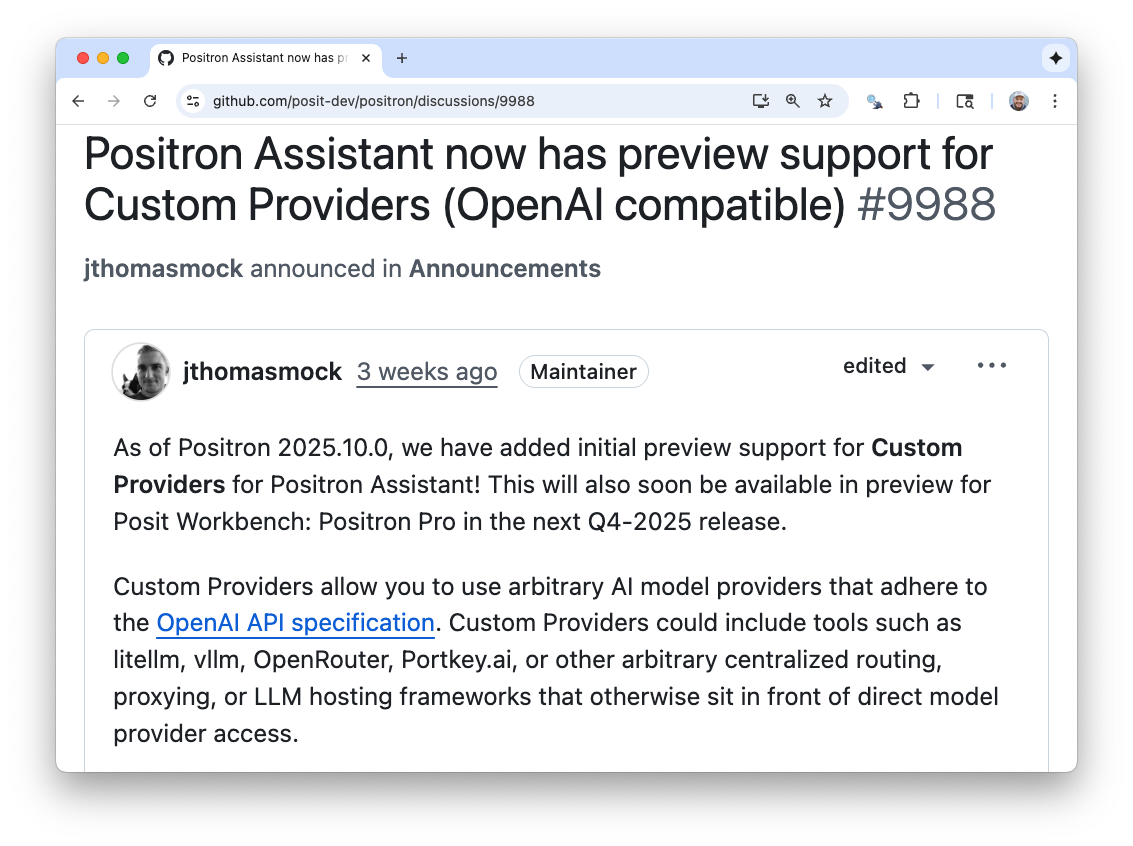
A screenshot of a post 'Positron Assistant now has preview support for Custom Providers (OpenAI compatible)' from Tom Mock.

Practical AI for data science

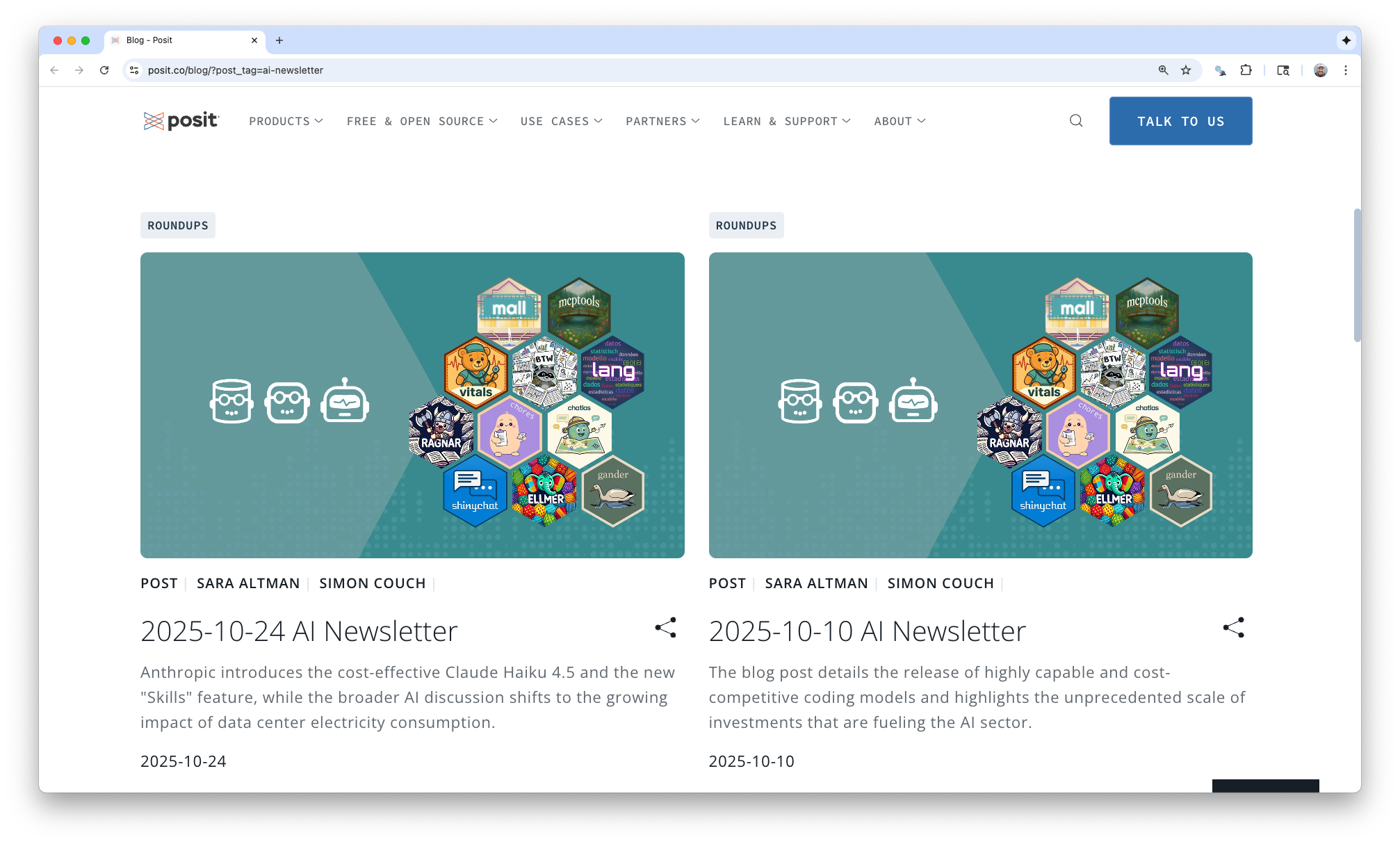
A screenshot of the Posit Blog with two entries of the AI Newsletter shown at the top. Both are titled with their date and authored by Sara Altman and myself.

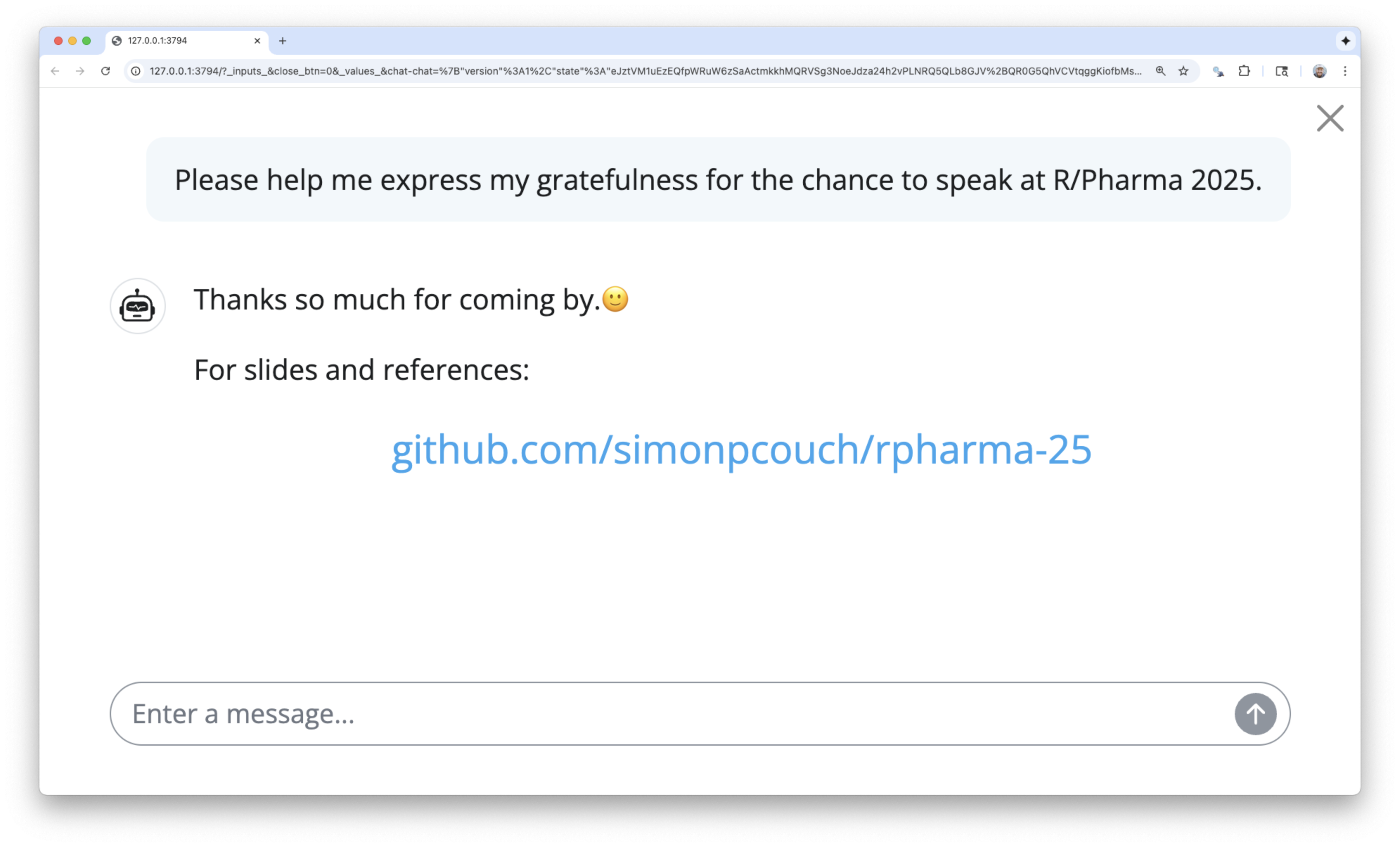
A screenshot of a mock conversation with a chatbot. The user says 'Please help me express my gratefulness for the chance to speak at R/Pharma 2025.' The chat bot then replies 'Thanks so much for coming by.🙂 For slides and references: github.com/simonpcouch/rpharma-25'.